
How to Install and Activate a Europe eSIM Before You Fly
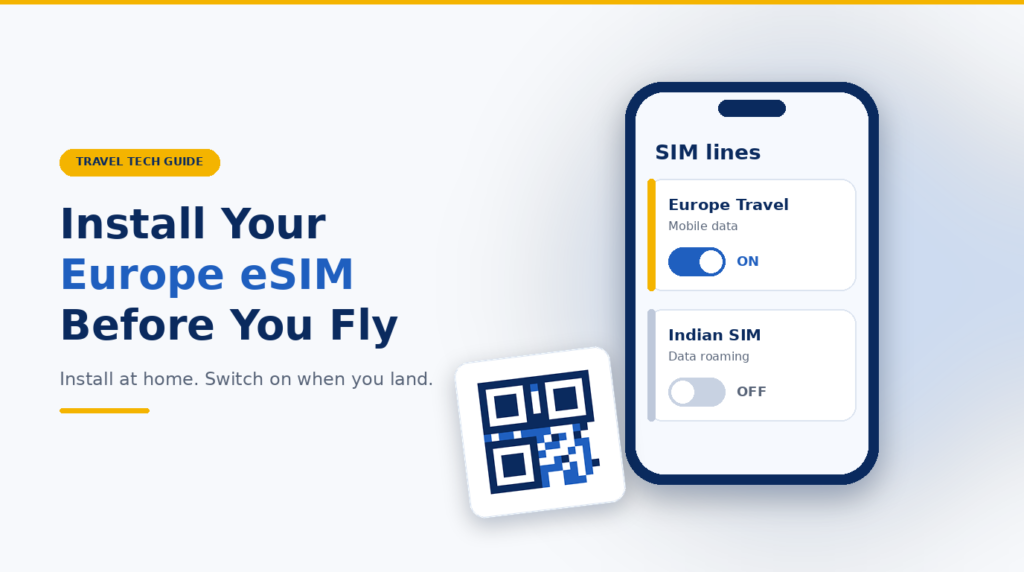
Install your Europe eSIM before departure only after checking its activation policy. Installation downloads the profile; activation or first connection may start validity, and the trigger differs by provider. Use stable Wi-Fi, then select the travel line for data at your destination while protecting the Indian SIM from unintended roaming.
Quick answer: the safest setup sequence
- Confirm that the exact phone model supports eSIM and is carrier-unlocked.
- Read the plan’s live activation policy before scanning its QR code.
- Install over reliable Wi-Fi and save the provider’s instructions offline.
- Unless the provider says otherwise, leave the travel line off until you arrive.
- At the destination, choose the Europe eSIM for mobile data and follow its roaming or APN instructions.
Installation, activation and connection are not the same
Installing an eSIM downloads the digital SIM profile to the phone. Activation determines when the plan can connect or when its validity begins. These events are not always the same, so the provider’s activation policy must be checked before installation.
Stage | What happens | Safe timing |
|---|---|---|
Purchase | You receive a QR code, app setup or manual details. | After compatibility, coverage and terms are checked. |
Installation | The eSIM profile is added to the phone. | Before the flight only if the activation policy permits it. |
Line switched on | The phone is allowed to use the profile. | Usually on arrival, unless the provider says otherwise. |
First supported connection | The plan may register on a partner network and start validity. | At the covered destination; the exact trigger is provider-specific. |
Before you install a Europe eSIM
- Check compatibility and unlock status. On iPhone, Settings > General > About should show “No SIM Restrictions” beside Carrier Lock. For Android, confirm with the seller or operator.[1]
- Check coverage. “Europe”, “EU” and “Schengen” are not identical labels. Verify every destination and transit country.
- Check the validity trigger: installation, a selected date, purchase, activation or first supported-network connection.
- Prepare reliable Wi-Fi, a charged phone, current software, and the QR code or manual activation details.
- Save the order number and support contact offline. Keep the QR code, EID and activation details private.
How to install a Europe eSIM before travel
On an iPhone
- Connect to Wi-Fi. Open Settings > Cellular or Mobile Data > Add eSIM.
- Choose Use QR Code and scan it. Apple also supports provider apps, links and manual details. On supported recent iOS versions, press and hold a code in the default browser or email app to reveal Add eSIM.[2]
- Follow the prompts. Give the plan a clear label such as “Europe Travel”.
- Keep the line off until instructed. Do not choose the Indian line for travel data.
On a Samsung Galaxy
- Connect to Wi-Fi. Open Settings > Connections > SIM manager > Add eSIM.
- Scan the provider QR code, or choose the option to enter an activation code manually.
- Name the plan, review preferred-SIM settings and leave the line off until instructed. Availability varies by model, country and carrier.[3]
On a Google Pixel or another Android phone
On Pixel, open Settings > Network & internet > SIMs > Add SIM > Set up an eSIM, then scan the code.[4] Other Android menus may use Network, Connections, SIM manager or Mobile network. Use the manufacturer’s current instructions for the exact model.
If the QR code is on the same phone
Use the provider app, an activation link or manual details. A supported iPhone may recognise a long press on the code in its default email app or browser.[2] Otherwise, display it on another device. Never share it publicly.
When to activate a Europe eSIM
There is no universal activation moment. Some plans start at the first supported network connection; others start during installation, on purchase, on a selected date or under a subscription rule. The phone showing a line as “On” does not by itself prove when plan validity started.
Holafly says installation does not start validity for its daily plans, while subscriptions follow another rule. Vodafone Travel eSIM says to install before travel and activate at the destination within its stated period. These are provider-specific examples. Airalo directs buyers to each package’s Activation Policy.
How to connect after landing
- Turn on the Europe eSIM line.
- Select it as the mobile-data or cellular-data line.
- Enable data roaming on the travel eSIM only if its provider instructs you to do so. Many travel profiles use partner networks.
- Keep data roaming off on the Indian SIM unless you deliberately bought an Indian roaming plan. Disable cellular-data switching to reduce accidental use.
- Wait a few minutes. If it does not connect, toggle Airplane Mode, restart the phone and select a supported network if the provider tells you to.
Practical example: India to France, Germany and Switzerland
A traveller buys a plan covering all three countries. At home, they confirm the phone is unlocked, read that validity begins on first supported connection, install over Wi-Fi and leave the line off. In Paris, they turn it on, select it for data and enable roaming as instructed. The Indian SIM remains available for SMS, with its data roaming and automatic switching off. Calls and SMS can have separate operator charges.
Neutral buying guidance
After checking the phone and activation policy, compare coverage, validity, high-speed data, speed reductions, hotspot rules, top-ups, network partners, support, refunds and whether the plan is data-only. Choose enough data for maps, messages, tickets and work.
After those checks: compare a Europe eSIM option through SchengenSure. Confirm the final provider page and checkout terms before payment.
Affiliate disclosure: SchengenSure may earn a commission if you buy through a partner link. Compare suitability and final terms independently; a commission should not decide which plan you choose.
If the eSIM does not work after landing
- Confirm that the destination is covered and the plan has not expired.
- Check that the line is on, selected for data and using the provider’s required roaming setting.
- Toggle Airplane Mode, restart the phone and install any safe carrier-settings update. Apple recommends these basic checks for eSIM issues.[8]
- Enter or change an APN only when the provider gives the exact value.
- Do not delete the eSIM as a first fix. Some profiles cannot be installed again from the same code.[5][6]
- Contact support with the error, phone model, order details, IMEI or EID as requested. Share identifiers only through a secure support channel.
Common eSIM setup mistakes
- Scanning the QR code before reading what starts validity.
- Buying a “Europe” plan without checking every country on the route.
- Assuming that eSIM support means the phone is unlocked.
- Leaving the Indian SIM selected for mobile data or enabling automatic data switching.
- Forgetting the travel provider’s roaming or APN instructions.
- Deleting the profile when a restart or settings check may solve the issue.
- Waiting until arrival to install, with no reliable Wi-Fi or offline instructions.
Pre-flight Europe eSIM checklist
- Exact phone model is compatible and carrier-unlocked.
- Every destination and transit country is covered.
- Validity trigger and installation deadline are understood.
- eSIM is installed, labelled and left in the correct on/off state.
- QR code, manual details, order number, support instructions and a backup connection plan are saved securely.
- Indian SIM data roaming and automatic data switching are configured deliberately.
Frequently asked questions
Should I install my Europe eSIM before I fly?
Usually, yes, because installation needs reliable internet. First check the plan’s activation policy; some plans may start validity during installation.
When should I activate a Europe eSIM?
Activate it at the moment specified by the provider. Many travel plans are turned on at the destination, but the trigger can be installation, purchase, a chosen date or first network connection.
Does eSIM validity start when I install it?
Not always. Installation and validity are separate for some providers and combined for others. Read the specific package’s activation policy before scanning the code.
Should data roaming be on for a travel eSIM?
Turn it on only when the provider instructs you to. Many travel eSIMs need roaming to connect to partner networks, while the Indian SIM’s data roaming can remain off.
Can I keep my Indian SIM active for OTP messages?
Often, yes, on a compatible dual-SIM phone. Keep the Europe eSIM selected for data and check the Indian operator’s roaming charges and SMS rules.
How do I scan an eSIM QR code shown on the same phone?
Use the provider app, an activation link, manual details or display the code on another device. Supported iPhones may offer Add eSIM after a long press on the code in the default email app or browser