
If your eSIM is not working in Europe, first identify whether installation, activation or mobile data is failing. Check that the plan covers your current country, the eSIM line is switched on and selected for data, and the provider’s roaming and APN instructions are followed. Do not delete the eSIM until the provider confirms that it can be reinstalled.[1][2][6]
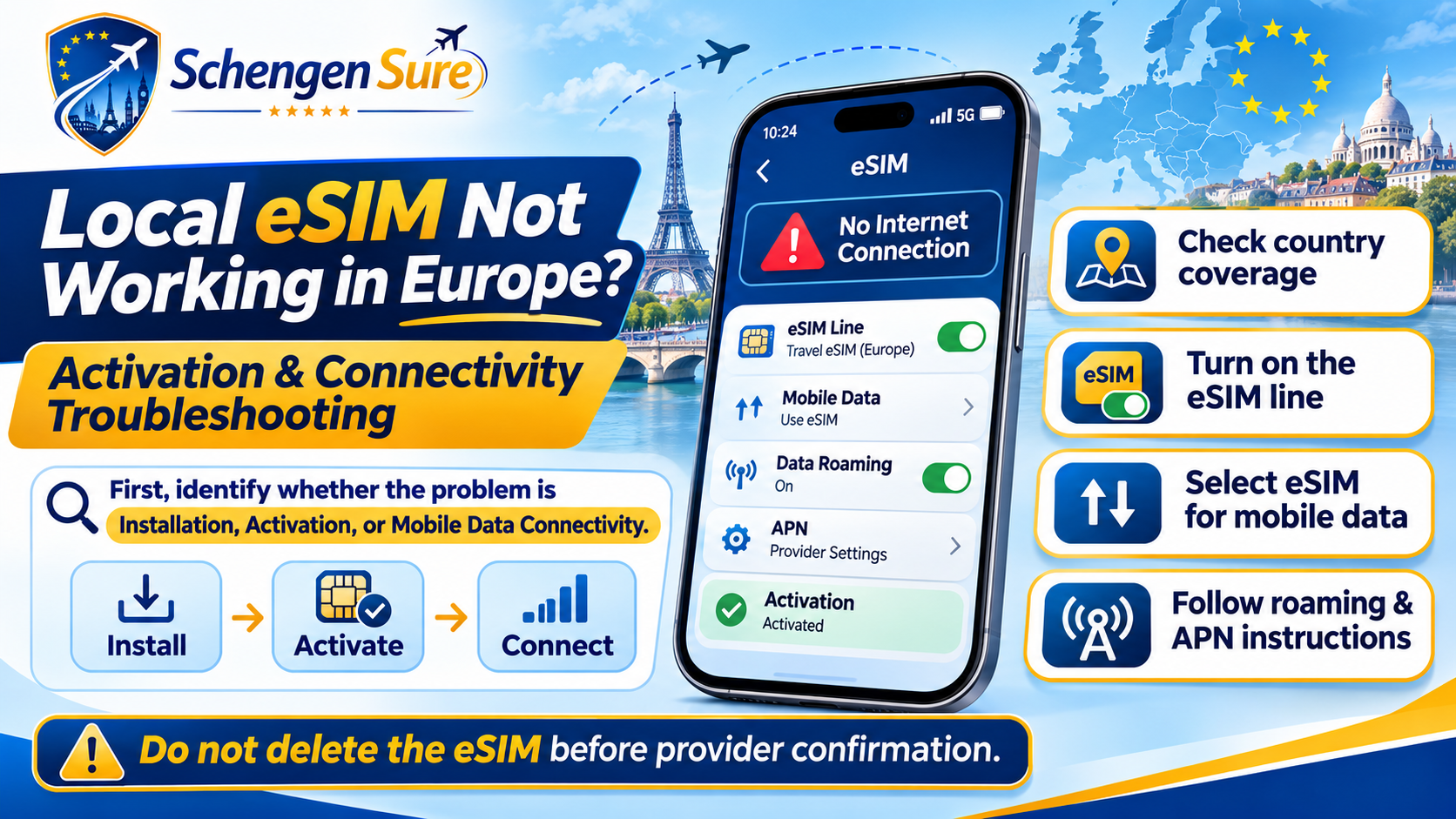
In this guide, “local Europe eSIM” includes both locally issued plans and regional travel eSIMs used on European partner networks. The correct settings depend on the exact plan, phone and provider.
Quick diagnosis: what exactly is failing?
Installation puts the eSIM profile on the phone. Activation starts the plan. Connectivity is the phone’s ability to use a supported mobile network and access data.
| Symptom | Likely area | Check first | Avoid |
|---|---|---|---|
| QR code will not install | Installation | Wi-Fi, device support, carrier lock and whether the code was already used | Repeated scans without reading the error |
| Stuck on activating | Activation | Provider’s start rule and whether arrival in a covered country is required | Deleting the profile |
| No Service or Searching | Network | Plan coverage, eSIM line, roaming instruction and network selection | Changing APN at random |
| Signal but no internet | Data settings | Correct data line, allowance, roaming and provider APN | Using the home SIM for tests |
| Worked, then stopped | Validity or network | Remaining data, expiry, outage and supported network | Buying again before support checks |
Fix a Europe eSIM in the safest order
1. Confirm phone and plan compatibility
Check that the phone supports eSIM and is unlocked for another provider. Confirm that the exact model—not only the model family—is compatible. Installation normally needs a reliable internet connection.[1][5]
2. Check the plan’s activation rule
Some plans begin on installation; others begin when they first connect to a supported network. If the phone says “activating” before arrival, read the provider’s instructions before treating it as a failure. Also confirm the plan has not expired and its data has not been exhausted.
3. Verify coverage for your present country
A product labelled “Europe” does not necessarily cover every European or Schengen country. Check every destination and transit country on the live coverage list. Schengen membership and an eSIM provider’s network footprint are different things.[9]
4. Turn on the eSIM and choose it for mobile data
On a dual-SIM phone, the travel eSIM can be active while the home SIM remains selected for data. Choose the Europe eSIM as the mobile-data line. To reduce unintended costs, disable data roaming on the home line and review any automatic data-switching setting.[1][3][4]
5. Follow the provider’s data-roaming instruction
Many travel eSIMs use roaming agreements with local networks and require data roaming on for the travel line. Enable it only when the provider says to do so. This setting is separate from roaming on your Indian or other home SIM.[6][8]
6. Check the APN exactly
An Access Point Name, or APN, tells the phone how to route mobile data. Many eSIMs configure it automatically. If the provider supplies an APN, enter it exactly and do not copy settings from another provider.[6][7][8]
7. Refresh the network connection
Turn Airplane Mode on and off, switch the eSIM line off and on, then restart the phone. Start with automatic network selection. If the provider lists supported networks and automatic selection fails, try one of those networks manually.[2][6]
8. Test without Wi-Fi, VPN or hotspot
Turn off Wi-Fi and test a normal webpage using mobile data on the phone. Temporarily pause a VPN or private relay only if you can do so safely. Prove that phone data works before troubleshooting hotspot or tethering.
Where to find the main settings
| Task | iPhone | Android / Galaxy |
|---|---|---|
| Select data line | Settings › Cellular/Mobile Data › Cellular Data | Settings › Network & internet or Connections › SIMs/SIM manager |
| Turn line on | Open the eSIM line › Turn On This Line | Enable the eSIM in SIMs/SIM manager |
| Check roaming | Open the travel eSIM line › Data Roaming | Open the travel SIM or Mobile networks › Roaming |
| Choose network | Travel eSIM line › Network Selection | Mobile networks › Network operators |
Menu names vary by phone, country and software version. Use the device manufacturer’s current instructions and the plan-specific setup guide.[1][3][5]
If the eSIM fails after crossing a European border
Wait briefly for the phone to register on a new partner network. Then refresh Airplane Mode, confirm the country is covered and return network selection to automatic. If needed, select only a network named by the provider. A border crossing does not extend the plan’s coverage or validity.
When should you contact eSIM support?
Contact the provider when installation fails, no supported network appears, the plan shows active but has no service, or the same issue remains after the ordered checks. Send:
- Order number and eSIM identifier requested by support—never post them publicly
- Phone model, software version, current country and approximate location
- Exact error message and screenshots with personal details hidden
- Steps already tried, selected data line, APN and network name
Common troubleshooting mistakes
- Deleting the eSIM before contacting support
- Turning roaming on for the home SIM instead of the travel eSIM
- Assuming every “Europe” plan covers the full itinerary
- Entering an APN found on an unrelated website
- Testing while Wi-Fi is still connected
- Confusing weak local coverage with an activation failure
- Purchasing a replacement before checking validity and allowance
Europe eSIM troubleshooting checklist
- My phone is eSIM-compatible and carrier-unlocked.
- The plan is valid and covers my current country.
- The eSIM line is on and selected for mobile data.
- I followed the provider’s roaming and APN instructions.
- I tested mobile data with Wi-Fi and VPN off.
- I refreshed the connection and tried a supported network.
- I saved the setup guide, QR information and support contact offline.
- I have not deleted the eSIM.
Neutral buying guidance if the plan cannot be restored
Replace the plan only when it has expired, lacks destination coverage, is incompatible, or the provider confirms that it cannot be restored. Compare live terms for country coverage, activation timing, validity, data amount, speed policy, hotspot permission, top-ups, support and refunds.
A low price is not useful if the plan omits a destination or offers no practical support. Business travellers may prioritise support and predictable data; families may value hotspot sharing; students and longer-stay visitors may need top-ups or longer validity.
If a replacement is genuinely needed, you can compare Europe eSIM options through SchengenSure. Check the provider’s current terms before purchase. SchengenSure may receive a commission from an affiliate link; this should not change the neutral criteria in this guide.
Frequently asked questions
Why is my eSIM installed but not working in Europe?
The profile may be installed while the wrong line is selected for data, the plan is not yet active, the country is not covered, roaming is off, or the APN is incorrect. Check these in that order before deleting anything.
Should data roaming be on for a travel eSIM?
Many travel eSIMs require roaming on for the travel line because they connect through partner networks. Follow the exact provider instructions and keep roaming off on the home SIM unless your home operator says otherwise.
Why does my eSIM show signal but no internet?
Signal bars show network registration, not successful data routing. Check the selected mobile-data line, remaining allowance, roaming instruction, APN and any temporary network problem.
Why is my eSIM stuck on activating before arrival?
Some plans complete activation only after reaching a covered country and connecting to a partner network. Check the start rule and contact the provider if the plan should already be active.
Should I delete and reinstall a travel eSIM?
Not unless the provider explicitly instructs you to do so and confirms that reinstallation is possible. Some QR codes or profiles cannot simply be reused.
Will one Europe eSIM work across all Schengen countries?
Not automatically. Schengen membership does not determine a commercial eSIM’s coverage. Compare every destination with the provider’s current country list.
Can I keep WhatsApp and my Indian number active?
Usually, yes on a compatible dual-SIM phone. Use the Europe eSIM for data, control roaming on the Indian line and check your Indian operator’s charges for calls or SMS. WhatsApp normally continues with its registered number unless you choose to change it.
Conclusion
When an eSIM is not working in Europe, diagnose the stage before changing settings. Verify compatibility, activation, coverage, data-line selection, roaming, APN and network registration in a safe order. If those checks fail, contact the provider before deleting the profile or buying another plan.
Reliable sources
- Apple Support — Use eSIM while travelling internationally with your iPhone — travel eSIM requirements and data-line selection
- Apple Support — If you can’t set up an eSIM on your iPhone — official activation troubleshooting
- Google Pixel Help — Connect to mobile networks — mobile data and SIM settings
- Google Pixel Help — Use dual SIMs — eSIM and dual-SIM setup
- Samsung Support — How to use an eSIM with your Galaxy phone — Galaxy installation guidance
- Airalo Help — Why is my eSIM not working? — provider troubleshooting sequence
- Orange Travel Support — My eSIM is not working — provider-specific APN and support guidance
- Vodafone Travel — eSIM activation and installation — roaming, APN and deletion warning
- European Commission — Schengen Area — official Schengen-country information