
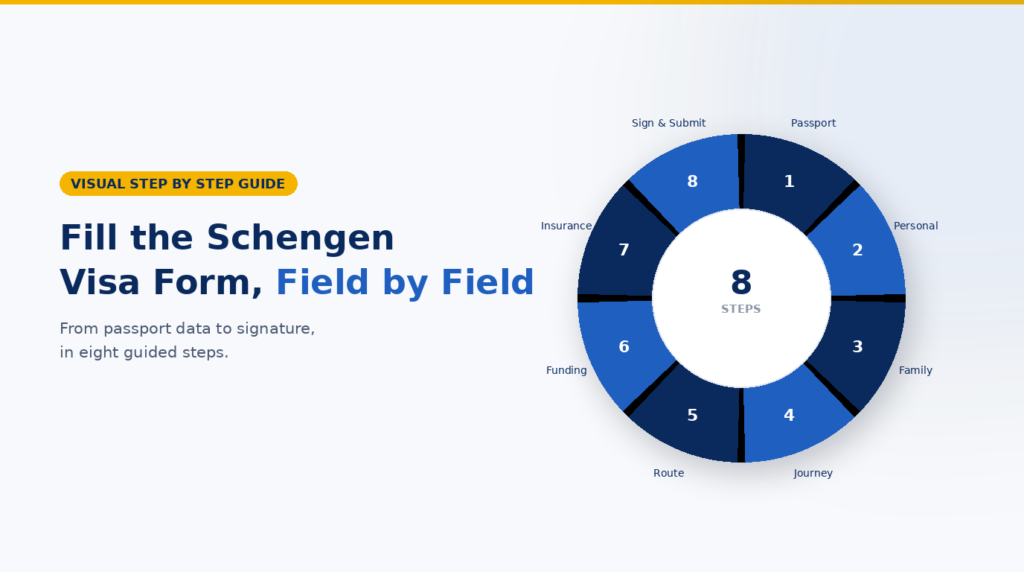
Start with your passport, then use your actual itinerary, accommodation, work or study records, funding evidence and insurance certificate. This guide follows the European Commission harmonised short stay form with fields 1 to 33. Country portals and local checklists can differ; follow the instructions of the consulate handling your application.
Get the form: European Commission harmonised Schengen visa application
Step 1 Find the correct form
The European Commission publishes a harmonised application form. Individual countries may ask you to complete a national online portal that produces it, and appointment procedures differ. First find your main destination and follow that country’s official consulate page or its authorised application-centre instructions. [1, 2]
- Passport: Names, date and place of birth, nationality, document number, issue and expiry.
- Trip documents: Purpose, Schengen entry and exit, countries visited, host or hotels.
- Personal evidence: Home address, work or study, residence status, payer and previous biometrics.
Before you begin: Check that your passport meets the destination’s rules. EU guidance requires validity for at least three months after intended departure; the Visa Code also sets issuance and blank-page conditions. Confirm the exact local checklist before booking an appointment. [2, 3]
Free planning app: Correct Consulate Finder
How to copy passport details into the form
The two examples below show where a detail appears on the fictional sample passport page and where it belongs in the application form. Use your own current passport when completing the real form.
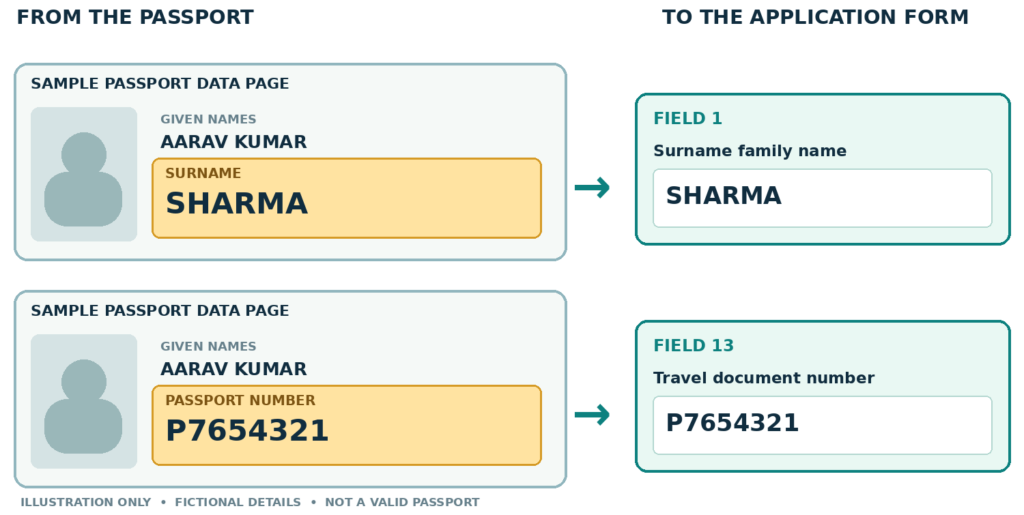
Illustration only. All passport details are fictional; the image is not a valid passport.
Step 2 Complete personal details fields 1 to 11
Fields 1–3 should follow the travel document. Do not switch the surname and given-name boxes or omit a given name. If a form does not reflect a complex or single-name passport, follow the issuing consulate’s instructions. [1, 4]
Field | What to enter | Where to check / example |
|---|---|---|
1 | Current surname | Passport surname: SHARMA. |
2 | Surname at birth or former surname(s) | If you have changed your surname, use your previous family name(s) and supporting civil records. Follow the portal’s instruction if none applies. |
3 | All given names | Passport given names: AARAV KUMAR, in the shown order. |
4–6 | Date, place and country of birth | Check passport biographical data and, where needed, birth records. For this example: 14-08-1990 / Jaipur / India. Use the requested date format. |
7 | Current nationality; nationality at birth if different; other nationalities | Use citizenship, not residence. Current example: Indian. Declare other citizenships where applicable. |
8–9 | Sex and civil status | Select the accurate option(s) in the actual form; use your legal status, not your travel companion’s. |
10 | Parental authority or legal guardian, for minors | Give requested name, contact information and nationality when the applicant is a child; consult the local minor checklist. |
11 | National identity number, where applicable | Use the relevant national ID number if it applies. This is not field 13’s passport number; check the portal’s instructions if you have no such number. |
Step 3 Copy the passport fields 12 to 16
Use the same passport that you will hand in. Review every letter and digit, especially characters that look alike.
Field | What to enter | Illustrative entry |
|---|---|---|
12 | Type of travel document | Ordinary passport, only if that is your document type. |
13 | Number of travel document | P7654321. Copy from the passport number field, not a national ID card or old passport. |
14 | Date of issue | 10-02-2023; observe the requested date order. |
15 | Valid until | 09-02-2033; use the expiry date, not the issue date. |
16 | Issued by (country) | India; this box asks for the issuing country, even if the passport also names a city or office. |
Find the issue date expiry date and place of issue
The highlighted parts below show where those three details may appear on a fictional passport. Passport designs differ, so use the labels printed on your own data page.
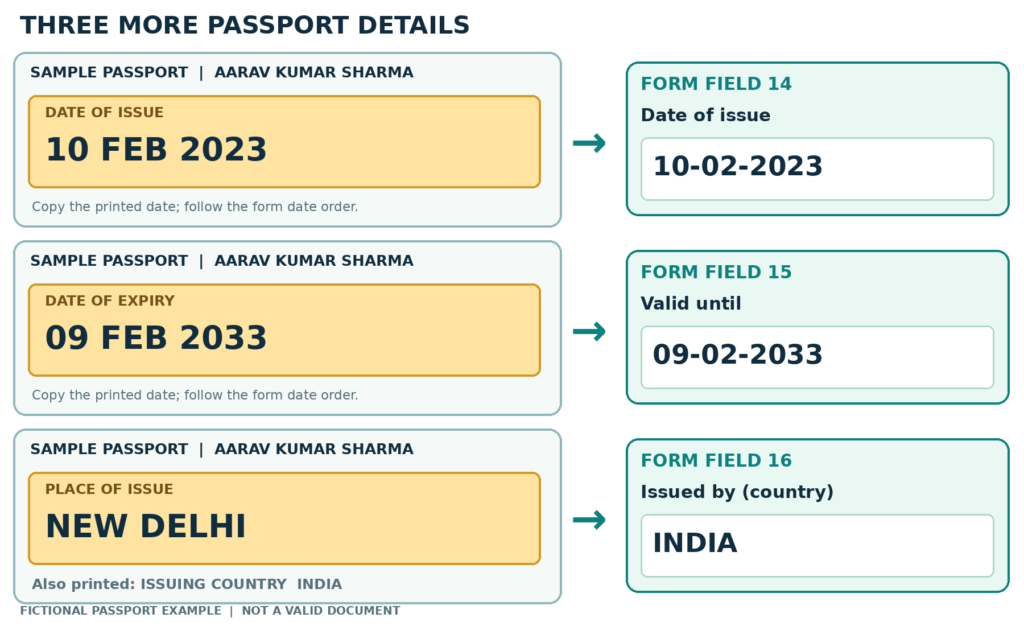
Place of issue may be a city, such as NEW DELHI. Field 16 on this EU form asks for the issuing country: INDIA. It does not provide a separate box for the city. Illustration only; this is not a valid passport.
Step 4 Add family residence and work fields 17 to 22
These answers come from your circumstances and supporting records. The special EU/EEA/Swiss or qualifying Withdrawal Agreement family-member boxes are only for applicants to whom they actually apply.
Field | What to enter | Check against |
|---|---|---|
17–18 | Details of the qualifying family member and your relationship, if applicable | The family member’s identity document and proof of the qualifying relationship; otherwise follow the form’s not-applicable option. |
19 | Your home address, email and phone | Current real residence and reachable contact details, not a temporary Schengen hotel. |
20 | Residence outside the country of your current nationality | If yes, enter the residence permit or equivalent, number and validity. Example: an Indian national legally resident in the UAE enters the UAE permit details. |
21 | Current occupation | Actual current work or status; describe self-employment, study, retirement or unemployment truthfully. |
22 | Employer and contact details, or school for students | Employer letter or enrolment record; the name and address should agree with submitted evidence. |
The official form marks fields 21, 22, 30, 31 and 32 with an asterisk: the form says certain qualifying family members of EU/EEA/Swiss citizens or UK Withdrawal Agreement beneficiaries do not fill them in. A family relationship alone does not establish which special route applies; check the consulate’s instructions. [1]
For family or sponsored applications: Free Family and Sponsored Application Checker
Step 5 Describe the journey fields 23 to 29
Keep your purpose, itinerary, entry point, accommodation and transport consistent. Main destination and first Schengen entry are separate questions.
Example itinerary 4–12 May 2027: France (8 nights) | How the boxes read Field 25: France, plus Belgium |
Field | What to enter | Practical check |
|---|---|---|
23–24 | Purpose(s) and extra details | Choose the real reason(s): tourism, visiting family, business, etc. Use field 24 to explain the actual plan concisely if useful. |
25 | Main destination and other Schengen countries visited | For the illustrated 8-night France / 3-night Belgium trip, France is the main destination. Check the official rule if your stays or purposes differ. [2] |
26 | Schengen country of first entry | Where you first cross the Schengen external border. This can differ from your main destination. |
27 | Single, two or multiple entries; first stay’s arrival and departure dates | Enter the number of entries you actually request and your planned first trip dates. A later grant may differ from the request. |
28 | Previous Schengen-visa fingerprints, if collected | Answer yes/no honestly; give date and visa number if known. Do not equate general passport biometrics with Schengen visa fingerprints. |
29 | Entry permit for a final destination beyond Schengen, where relevant | Applicable to onward travel requiring an entry permit; follow the form’s wording for your route. |
A connecting flight may change the first-entry answer if you cross the Schengen border during the connection. Check the full route, not just your longest stay.
To organise the real trip: Free Schengen Itinerary Builder
Step 6 Show accommodation and funding fields 30 to 33
Use the accommodation booking, invitation, sponsor documents and payment arrangements that match the real trip. If plans are still provisional, follow the responsible consulate’s evidence rules instead of inventing details.
Field | What to enter | Check against |
|---|---|---|
30 | Inviting person or hotel / temporary accommodation | Enter the host’s full details for a private visit, or accommodation details if no private host applies. Include the address, email and telephone information requested. |
31 | Inviting company or organisation, when relevant | For a business or organisational invitation, use the organisation and contact person details shown on the invitation. |
32 | Costs covered by applicant and/or sponsor; means of support | Show who actually pays for transport, accommodation and living costs. If both contribute, reflect both and provide supporting evidence. Read the SchengenSure funding guide. |
33 | Person completing the form, if different from applicant | Enter the helper’s name and contact details when another person fills it out. This does not replace the applicant’s required signature. |
A person helping with the form (33) is not automatically the sponsor (32), and the host or hotel (30) is not necessarily the payer.
To review your funding evidence: Free Financial Readiness Checker
Step 7 Check insurance and supporting documents
The harmonised form does not have a numbered box for your travel insurance policy number. Insurance is checked as a supporting document. Compare the final certificate with the applicant’s name, intended Schengen entry and departure dates, territory, covered medical risks, and your consulate’s document checklist. [1, 2, 3]
Travel insurance check
- At least €30,000 minimum medical cover under Visa Code Article 15.
- Valid throughout the Schengen Member States for the intended stay.
- Covers urgent medical attention, emergency hospital treatment and medical repatriation; inspect the policy terms and certificate.
For a multiple-entry request, the evidence submitted generally covers the first intended stay; later visits still require appropriate cover. The responsible consulate assesses the insurance presented. [3]
Explore a travel insurance option
The purchase link is an affiliate link. SchengenSure may receive a commission if you buy; always verify the final policy for your personal trip and local checklist. No insurer can guarantee a visa.
Other supporting documents can include proof of trip purpose, accommodation, enough funds, travel plans and intention to leave after the visit. Local lists may request additional items. [2]
Fictional insurance example
Compare the name and trip dates on a genuine insurance certificate with your passport and itinerary. This illustration uses the same fictional traveller and the 4–15 May 2027 example trip.
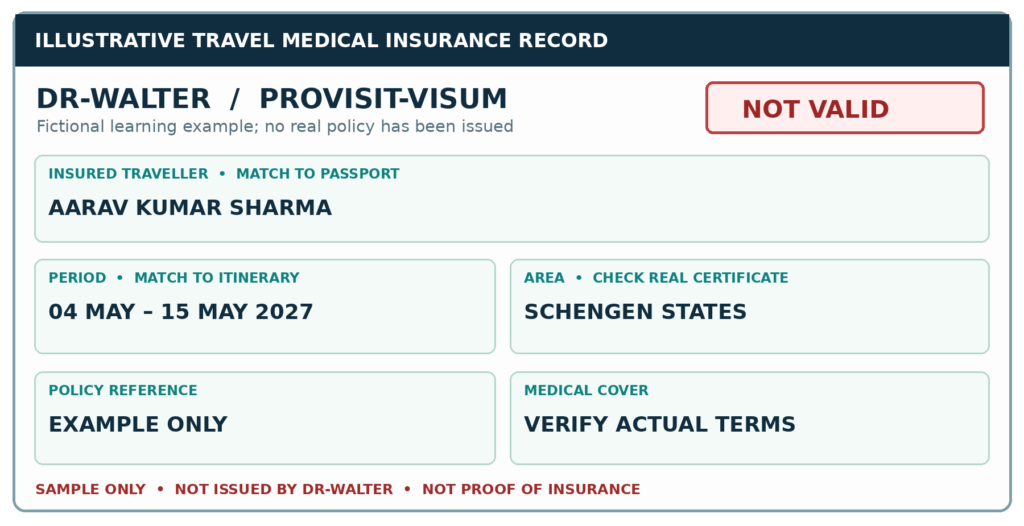
Teaching illustration only. This is not a certificate issued by DR-WALTER, is not proof of insurance, and does not state current product benefits. Submit the actual insurer-issued certificate and verify its dates, territory and cover.
Provider information: PROVISIT-VISUM explains when a real certificate is supplied
If your checklist asks for a cover letter: Free Schengen Visa Cover Letter Generator
Step 8 Review sign and submit
Read the declarations at the end of the form before signing. The official form has a place/date and applicant signature area, including a parent or guardian signature where applicable. Leave the “For official use only” boxes to the receiving authority. [1]
- Compare fields 1–3 and 12–16, character by character, with the passport.
- Confirm field 25 (main destination) and field 26 (first Schengen entry) against the complete route.
- Match the arrival and departure dates to transport, accommodation, invitations and insurance.
- Check that the host, sponsor and employer details match the supporting documents.
- Follow your consulate or portal’s instructions on printing, photo, signature and appointment submission.
- If you discover an error, use the accepted correction process for your application stage; see how to correct a Schengen form mistake.
Timing: The European Commission says to lodge an application no earlier than six months and at least 15 days before travel. Appointments can require additional lead time. [2]
Frequently asked questions
Where do I enter my insurance policy number
The harmonised form has no dedicated policy-number field. Submit the travel medical insurance evidence requested by the responsible consulate. Check the traveller, territory, dates and required cover on the certificate. [1, 3]
Can I use this guide for every national online portal
Use it to understand the common information categories. Some portals rearrange questions, add fields or require different steps. The official instructions for the country processing your application take priority.
Official sources and further reading
- European Commission harmonised Schengen visa application form
- European Commission Applying for a Schengen visa
- European Commission Visa Code Handbook
- German Federal Foreign Office VIDEX instructions
- DR-WALTER PROVISIT-VISUM certificate information
- SchengenSure Free App Center
Reviewed 28 September 2026. Recheck the responsible country portal and consulate checklist before submission.